Choose a plan
Every plan opens the same scripts. You only pick for how long.
To use a Roblox script on mobile you need an executor app on your phone and a key. With BBR HUB, you sign in with Discord, click “My script”, copy the two lines with your key filled in and paste them in the executor while the game is open. The menu then opens and adapts to the screen.
An executor is the app that runs scripts inside a Roblox game. Roblox does not run outside code by itself, so the executor is the piece that takes the lines you paste and runs them in the game you have open. BBR HUB is not an executor: it is the script the executor loads.
That is why there is nothing of ours to install. You bring the executor, we bring the script, and the two lines from our Discord connect the two. Every game page has the list of executors we support, the same list for every game, split between PC (Windows) and mobile (Android).
Pick one from that list. It is the list we support for every game in the catalog, so it is also where support can help you if something goes wrong.
The route is the same on a phone and on a PC. It takes three steps, and only the last one happens inside Roblox.
Every plan opens the same scripts. You only pick for how long.
One click. The key is saved to your Discord account, so you have nothing to write down.
Click “My script” in our Discord, paste the lines in your executor and turn on what you want.
In practice: open the game on your phone, open your executor, paste the two lines you copied from “My script” and run them. The BBR HUB menu opens over the game. Turn on what you want and leave the game open: the script keeps going while you do something else.
You do not type the key yourself. It comes already filled in inside the two lines and stays saved on your Discord account, so if you lose the lines, click “My script” in our Discord again.
Very little. The menu is the same on mobile and PC, with the same features for each game. On a phone it adapts to the screen, with big toggles for your thumb. On PC, RightShift hides and shows the menu.
The key and the lines are the same too. One key opens every game in the catalog, and the hub loads the script for the game you are in. You do not need a separate version for your phone, and you do not need one key per game.
One thing to know before you switch devices: the key locks to the device on its first run. If you move from your phone to a PC, or change phones, release the key yourself in the customer portal and run the lines on the new device.
Every game in the catalog runs on mobile and PC. Today there are 15 games live, such as the Anime Fighting Simulator script, the Anime Vanguards script and the Dueling Grounds script. Each game page lists what every feature does and how to start it inside that game.
If you are looking for anime games in particular, see the best Roblox anime games with scripts.
Most problems fall into a few cases, and each one has a short fix.
The menu does not open. Check that you pasted both lines, not only the first one, and that you ran them with the game open.
The key does not work on this phone. The key locks to the first device that runs it. Release it in the customer portal and run the lines again.
It worked before and stopped after a game update. That happens after big patches. We fix it, and you do not reinstall anything: the same lines load the new version. Update news is posted in our Discord.
Your executor is not on the list. Use one from the supported list on any game page. It is the same list for every game.
Something else. Ask in our Discord: the support is in the same server as your key.
Yes. Using any script breaks the Roblox Terms of Use and can get an account banned, on a phone or on a PC. We make no promise about bans, because nobody can keep it. Use it at your own risk, ideally on an alt account.
No. The scripts run on mobile and PC with the same menu. On a phone you need an executor from the supported list for mobile (Android) and your two lines from our Discord.
No. There is nothing of ours to install: you paste two lines in the executor and the menu opens in the game.
In our Discord. Click “My script” and you get two lines with your key already filled in.
Yes. The key locks to the device on its first run. Release it yourself in the customer portal and run the lines on the new device.
Yes. It is the same menu with the same features, and it adapts to the screen with big toggles for your thumb.
More guides about BBR HUB and the games in the catalog.
What a script hub is, how one key serves every game, how it differs from a script pasted from Pastebin, and why BBR HUB is not BBR: Reloaded.
The anime games in the BBR HUB catalog, ordered by Roblox visits, with what each script does and a link to its page.
 Anime Fighting Simulator script
 Anime Dice script
 Anime Legacy Simulator script
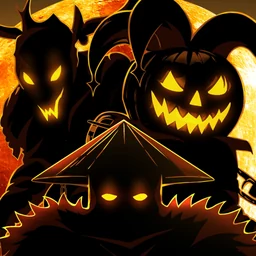 Dueling Grounds script
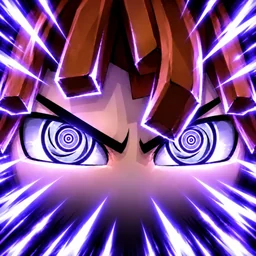 +1 Anime Eyes script
 Cloverlines script
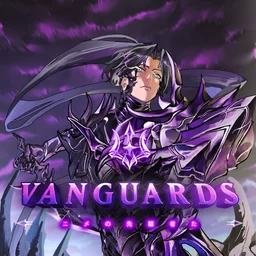 Anime Vanguards script
 Anime Dimensions Simulator script
 Anime Adventures script
 Attack on Titan Revolution script
 Jujutsu Infinite script
 Arise Crossover script
 Fisch script
 Vox Seas script
 Grimoires Era script
Your key, the script lines, update news and support are all in our server.
Get your key, paste the lines in your executor and turn on what you want.
Choose my plan